Post
Brew: The packages I use
In the first two articles in this series, I showed you how to set up Brew and install your first packages.
Brew: Package manager for macOS
Brew: Installing packages (example: Mozilla Firefox)
I’d now like to show you my list of installed packages here, which might help you get started. You’re probably already familiar with many of these programmes.
Using the command
brew cask listYou can view the installed Casks. It might look something like this.
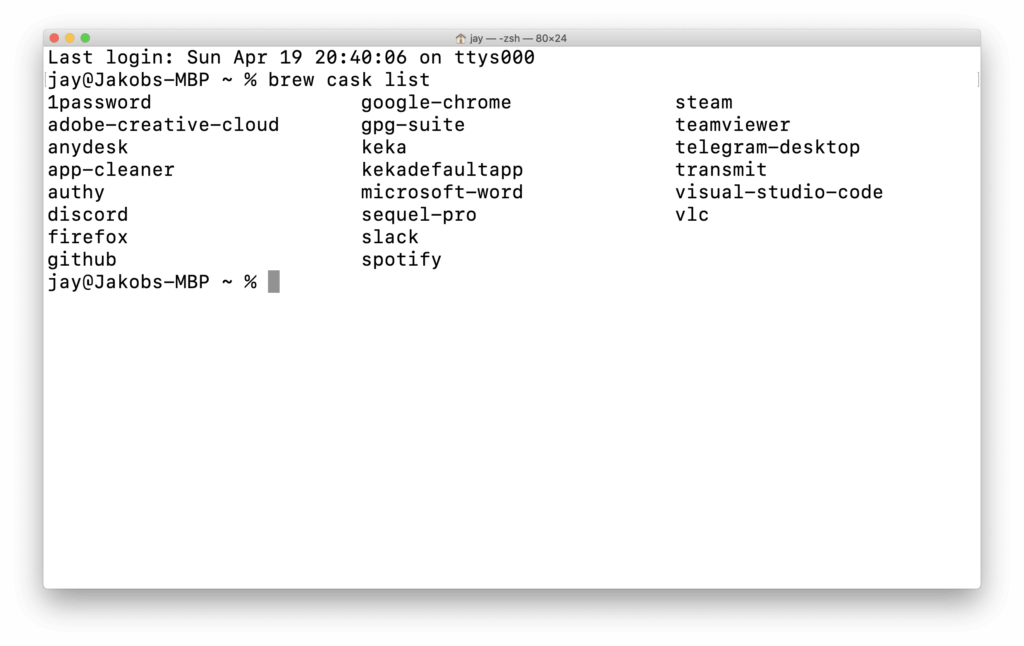
View installed Cask packages.
My list consists of the following:
Visual Studio Code, Firefox, Google Chrome, 1Password, Microsoft Word, Spotify, Slack, Adobe Creative Cloud, AnyDesk, App Cleaner, Authy, Discord, Telegram Desktop, GitHub, GPG Suite, Keka, KekaDefaultApp, Sequel Pro, Steam, TeamViewer, Transmit, VLC
I install these packages on every computer, or rather, on the system whenever I carry out a fresh installation of macOS. This means my computer is up and running quickly and has everything I need.
The installation would then work as follows:
brew cask install visual-studio-code firefox google-chrome 1passwordSimply list the desired packages one after the other, and they will be installed in one go.
brew bundle
I know that there’s an even better way to install packages reproducibly using brew bundle. However, for reasons of convenience, I haven’t started using it yet.
The main reason for this is that I’m too lazy to bother with it, and it doesn’t really benefit me in any way, as I always want to have the latest stable version of the programmes mentioned anyway. Nevertheless, I’d like to take a closer look at it at some point in the future.